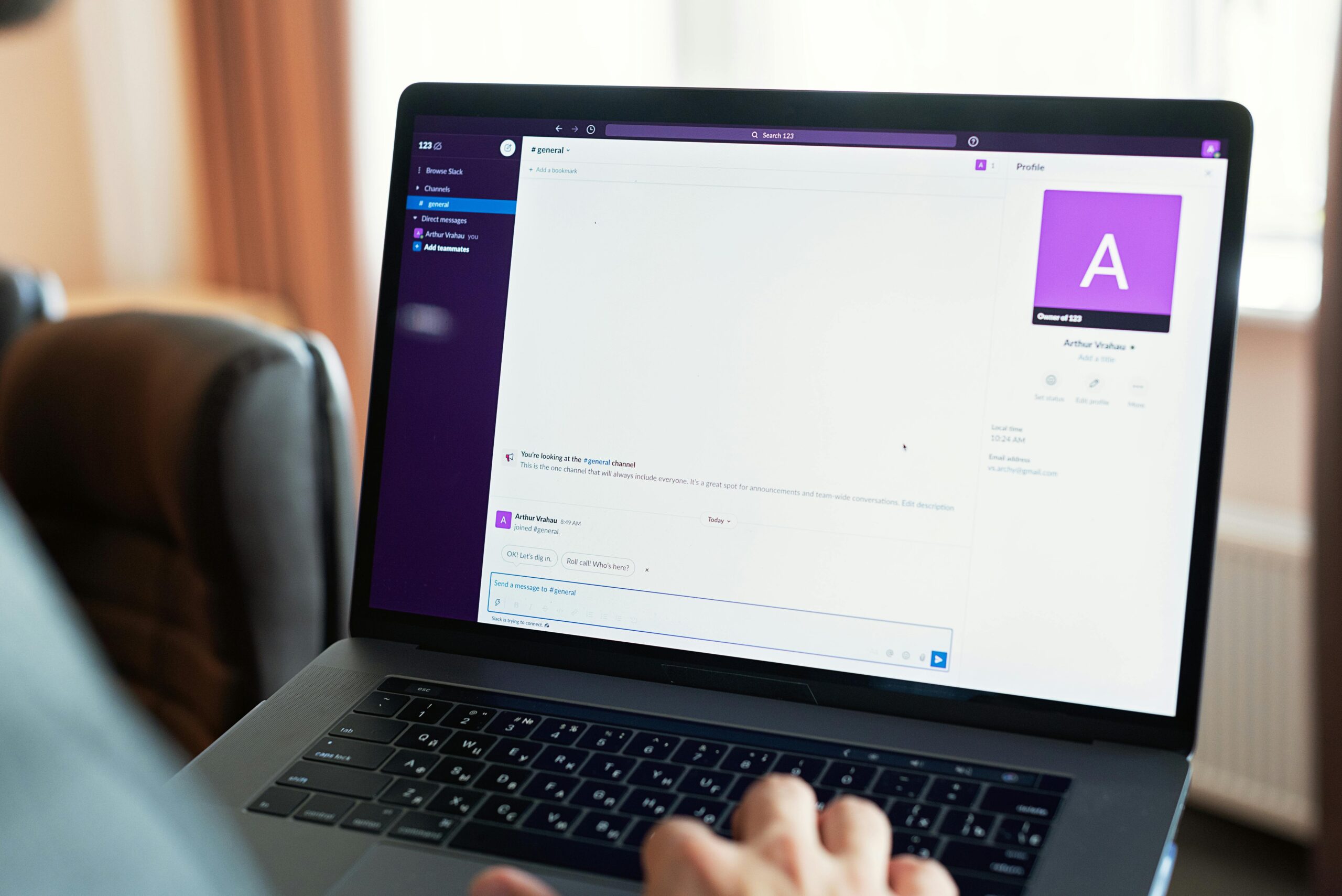
Latency—the invisible delay between action and response—shapes every digital interaction we experience, yet remains one of the most misunderstood aspects of user experience design.

🎯 The Hidden Architecture of Perceived Speed
When we tap a button, speak a command, or type a message, our brains expect near-instantaneous feedback. This expectation isn’t arbitrary—it’s hardwired into our cognitive architecture. The human perceptual system has evolved to detect even microsecond variations in cause-and-effect relationships, making latency perception a critical factor in determining whether a digital experience feels natural or frustratingly sluggish.
Research in human-computer interaction reveals that latency perception varies dramatically depending on the interaction modality. Voice experiences and text-based interfaces each carry unique psychological expectations, and understanding these differences is essential for creating compelling digital products in an increasingly multi-modal world.
The Psychology Behind Latency Awareness
Our perception of delay isn’t simply about measuring milliseconds on a stopwatch. The human brain processes temporal information through multiple cognitive pathways, each contributing to our subjective experience of responsiveness. Context, attention, expectation, and prior experience all influence whether we consciously notice a delay or whether it passes beneath our awareness threshold.
Studies in psychophysics have established several key thresholds for latency perception. The just-noticeable difference (JND) for temporal delays typically falls around 20-50 milliseconds for visual stimuli, though this varies based on task complexity and user attention. For audio feedback, our temporal resolution is even finer—humans can detect discrepancies as small as 10 milliseconds in certain auditory contexts.
The Causality Perception Window
Neuroscience research identifies what researchers call the “causality perception window”—a temporal range within which we perceive two events as causally connected. When an action and its response occur within approximately 100 milliseconds, our brains automatically bind them together as a unified event. Beyond this threshold, the connection weakens, and delays become consciously perceptible.
This window explains why interface animations under 100ms feel instantaneous while those exceeding 300ms begin to feel noticeably sluggish. The experience isn’t linear—perception of delay accelerates exponentially as latency increases beyond critical thresholds.
🎤 Voice Interaction: Where Milliseconds Become Mountains
Voice interfaces introduce unique challenges to latency perception. Unlike clicking a button where visual feedback can be instantaneous, voice commands require multiple processing stages: audio capture, signal processing, speech recognition, natural language understanding, response generation, and audio synthesis. Each stage introduces potential delay points.
However, users demonstrate remarkable tolerance for certain types of delays in voice interactions—provided those delays match natural conversational patterns. When speaking with another human, we expect brief pauses for thinking and formulation. Smart assistants that incorporate natural-feeling pauses often feel more human and less frustrating than those attempting to respond with mechanically perfect immediacy.
The Conversational Rhythm Factor
Linguistic research on turn-taking in conversation reveals that humans naturally pause between 200-500 milliseconds before responding to a question or statement. This “floor transfer offset” represents the socially expected gap in dialogue. Voice interfaces that respond within this natural window feel conversationally appropriate, while those with either too-rapid or excessively delayed responses trigger discomfort.
The challenge lies in balancing technical latency with conversational naturalness. A voice assistant that responds in 50 milliseconds might actually feel uncanny and artificial, while one taking 800 milliseconds feels unresponsive despite incorporating only a slight delay beyond conversational norms.
Acoustic Feedback and Expectation Management
Successful voice interfaces employ strategic acoustic feedback to manage latency perception. The subtle tone confirming voice activation, processing sounds during computation, and carefully timed verbal acknowledgments (“Let me check that for you…”) all serve to maintain the user’s sense of engagement during processing delays.
These techniques leverage what psychologists call “filled duration illusion”—occupied time feels shorter than empty waiting. A 2-second delay accompanied by appropriate feedback feels briefer than a silent 1.5-second gap.
⌨️ Text Experiences: The Tyranny of Immediate Expectation
Text-based interfaces operate under fundamentally different perceptual rules than voice interactions. When typing, users expect character-by-character feedback with virtually no perceptible delay. Research shows that typing latency above 50 milliseconds begins degrading user performance and satisfaction, with serious impacts occurring beyond 100 milliseconds.
This hypersensitivity to text input latency stems from the deeply procedural nature of typing. Skilled typists rely on proprioceptive and visual feedback loops that occur largely below conscious awareness. Introducing delay disrupts these automatic processes, forcing conscious attention back to mechanics that should feel effortless.
The Autocomplete Paradox
Modern text interfaces frequently employ predictive features like autocomplete and autocorrect. These features introduce an interesting perceptual paradox: users tolerate higher latency for intelligent predictions than for basic character display, yet become frustrated when predictions lag significantly behind typing speed.
The acceptable latency threshold for predictive text hovers around 150-200 milliseconds—substantially higher than raw input latency tolerance, yet still demanding enough to require careful optimization. Users unconsciously adjust their behavior, sometimes pausing briefly to allow predictions to populate, effectively collaborating with the system’s latency constraints.
Messaging and Conversational Text
Chat applications and messaging platforms introduce yet another latency dimension: message delivery and read receipts. Here, users demonstrate surprising tolerance for delays measured in seconds rather than milliseconds, provided appropriate status indicators are present.
The “typing awareness indicator”—those animated dots showing someone is composing a message—has become ubiquitous precisely because it manages latency perception. Knowing your conversational partner is formulating a response transforms waiting from frustrating uncertainty into anticipated continuation.
🔬 Measuring What Actually Matters
Technical latency measurements don’t always align with perceived latency. A system with 50ms objective delay might feel slower than one with 100ms delay if the latter provides superior feedback and progress indication. This disconnect highlights the importance of measuring user perception alongside technical metrics.
User experience researchers employ various methodologies to assess perceived latency:
- Subjective delay ratings: Users rate responsiveness on standardized scales after task completion
- Comparative testing: A/B testing different latency conditions to identify perception thresholds
- Performance impact studies: Measuring how latency affects task completion time and error rates
- Psychophysiological measures: Tracking eye movements, frustration markers, and cognitive load indicators
- Long-term satisfaction surveys: Assessing how latency impacts sustained engagement and product loyalty
The Context Dependency Challenge
Latency tolerance varies dramatically based on context. Users accept longer delays when performing complex tasks like image processing or database queries compared to simple interactions like navigation or text entry. Task value perception also matters—users tolerate more delay for high-value operations than routine ones.
Network conditions create another contextual factor. Users browsing on mobile connections expect and accept higher latency than those on fiber broadband. Smart applications adapt feedback mechanisms based on detected connection quality, managing expectations appropriately.
🚀 Engineering for Perception, Not Just Performance
Understanding latency perception enables sophisticated optimization strategies that prioritize user experience over purely technical metrics. Several approaches have proven particularly effective across various interaction modalities.
Optimistic UI Patterns
Optimistic user interfaces assume success and update immediately, later correcting if the operation actually fails. This technique essentially eliminates perceived latency for common successful operations at the cost of occasionally needing to undo optimistic updates.
Social media applications extensively employ optimistic UI—your “like” appears instantly even though server confirmation takes hundreds of milliseconds. This creates an experience that feels immediate and responsive despite significant backend latency.
Progressive Enhancement and Skeleton Screens
Rather than presenting blank spaces during content loading, modern interfaces increasingly use skeleton screens—placeholder elements that approximate final content layout. This technique reduces perceived loading time by maintaining visual continuity and setting expectations for forthcoming content.
Research indicates that skeleton screens can reduce perceived wait time by 15-30% compared to traditional loading spinners, even when objective loading time remains identical. The effect stems from providing users with structural information before complete data arrives.
Strategic Prefetching and Prediction
Anticipating user actions enables systems to begin processing before explicit requests. Voice assistants might start processing common follow-up queries while delivering initial responses. Text editors can preload common autocomplete databases before users begin typing.
The challenge lies in prediction accuracy—incorrect prefetching wastes resources and may actually increase latency for actions users actually take. Machine learning approaches increasingly enable more accurate behavioral prediction, improving prefetching effectiveness.
🌐 The Cross-Cultural Dimension of Latency Perception
Cultural factors influence latency expectations in subtle but significant ways. Research comparing user behavior across different regions reveals variations in patience thresholds, expectations for responsiveness, and tolerance for different types of delays.
Studies conducted across Asian, European, and North American markets show that cultural communication norms extend into digital interactions. Cultures with higher tolerance for conversational pauses demonstrate somewhat greater tolerance for voice interface delays, while cultures emphasizing efficiency show lower thresholds for text input latency.
These differences, while modest, become significant when designing global products. Optimal latency profiles may vary by target market, requiring localized tuning rather than one-size-fits-all approaches.
🔮 Emerging Modalities and Future Challenges
As interaction paradigms evolve beyond traditional voice and text, new latency perception challenges emerge. Augmented reality, haptic feedback, brain-computer interfaces, and multimodal interactions each introduce unique temporal requirements and perceptual considerations.
Augmented Reality and Spatial Computing
AR applications demand extraordinarily low latency—typically under 20 milliseconds—to maintain the illusion that virtual objects exist in physical space. Higher latencies create perceptible lag between head movement and display updates, triggering discomfort and breaking immersion.
This requirement exceeds even the stringent demands of typing latency, pushing current technology to its limits. Next-generation AR platforms must achieve latency levels previously unnecessary in consumer applications.
Haptic Feedback Integration
Tactile feedback adds another temporal dimension to interaction design. The timing relationship between visual, auditory, and haptic feedback critically impacts perceived quality and responsiveness. Research shows that haptic feedback occurring 50-100ms after visual confirmation feels disconnected and unsatisfying despite being well within acceptable visual latency ranges.
Multimodal synchronization—ensuring all feedback channels align temporally—represents a growing challenge as interfaces become increasingly sophisticated and multisensory.
Practical Strategies for Experience Optimization
Translating latency perception research into practical product improvements requires systematic approaches that balance technical constraints with perceptual realities. Several evidence-based strategies consistently improve user satisfaction across diverse applications.
Establishing Latency Budgets
Successful teams establish explicit latency budgets for different interaction types, treating temporal performance as seriously as other resource constraints. These budgets reflect perceptual thresholds rather than arbitrary technical targets, ensuring engineering effort focuses on perceptually meaningful improvements.
A typical latency budget might specify: character input under 50ms, button responses under 100ms, page transitions under 300ms, complex queries under 1000ms with feedback. These targets guide architectural decisions and performance optimization priorities.
Continuous Perceptual Monitoring
While technical latency metrics provide objective measurements, supplementing them with perceptual quality scores from real users reveals how performance translates to experience. Regular user testing with latency variations helps identify actual perception thresholds for specific application contexts.
Some organizations implement “latency experience scores”—composite metrics combining technical measurements with user satisfaction ratings—to track perceptual performance alongside traditional metrics.
💡 The Psychological Value of Perceived Control
Beyond raw speed, perceived control significantly impacts user satisfaction with system responsiveness. Interfaces that provide continuous feedback, clear progress indication, and options to cancel or modify ongoing operations feel more responsive even when objective latency remains unchanged.
This principle explains why progress bars, even imprecise ones, improve satisfaction during long operations. Users value knowing what’s happening and maintaining agency over their interactions more than they value pure speed in isolation.
Designing for Graceful Degradation
Rather than failing catastrophically when latency exceeds ideal thresholds, well-designed systems degrade gracefully. Features become progressively simplified, feedback becomes more explicit, and system state becomes more transparent as conditions worsen.
This approach acknowledges that perfect low-latency conditions aren’t always achievable while ensuring users maintain satisfactory experiences across variable conditions. A voice assistant might provide more explicit status updates when processing time exceeds normal ranges, or a text editor might temporarily disable computationally expensive features when system resources become constrained.

🎨 The Art and Science of Temporal Design
Ultimately, optimizing latency perception represents both engineering challenge and design opportunity. The most successful products don’t simply minimize delays—they choreograph temporal experiences that feel natural, responsive, and appropriate to context.
Voice interfaces that incorporate conversational rhythms, text systems that predict user intent, and multimodal applications that synchronize feedback across sensory channels all exemplify temporal design excellence. These systems respect human perceptual capabilities while pushing technical boundaries.
As digital experiences continue evolving toward more natural and intuitive interaction paradigms, understanding and optimizing latency perception becomes increasingly central to product success. The difference between a frustrating tool and a delightful experience often measures mere milliseconds—but those milliseconds profoundly shape user satisfaction, engagement, and loyalty.
The most sophisticated applications invisible manage latency through careful attention to human perception, strategic feedback design, and technical optimization that prioritizes what users actually experience over what instruments measure. This user-centered approach to temporal performance represents the frontier of interaction design, where psychology and engineering converge to create experiences that feel effortlessly responsive even amid technical complexity.
By unveiling the truth about how humans perceive latency across voice and text modalities, designers and developers gain powerful insights for crafting digital experiences that respect cognitive realities while delivering the responsiveness modern users demand. The invisible architecture of perceived speed, once understood, becomes a design material as important as visual aesthetics or functional capabilities—shaping every moment of interaction and determining whether technology feels like a seamless extension of thought or an frustrating intermediary between intention and action.